Installation
Hint
MountWizzard4 version 4 is a major release with many new features and improvements. Please check the changelog for details: https://mworion.github.io/MountWizzard4/changelog/changelog.html. Actually this is a beta version ! Please check the known limitations and report any issues you find. Install it to a new workdir and do not overwrite your existing v3 installation. You can have both versions installed at the same time.
MountWizzard4 v4 (and also valid for v3) will change the way of installation. As it relies on python and uses a virtual environment the whole process got to complicated to maintain and was not easy for the users to follow. Therefore installation changes to an overall public free solution called uv.
uv is able to handle python installations and versioning, activating and deactivating of virtual environments, installing and versioning MountWizzard4 an that all with only 3 commands across all supported platforms (Windows, Linux and MacOS).
There are as well some videos to watch the installation process:
Windows11: https://www.youtube.com/watch?v=iKBfWjA5I0Q
Installing uv
I strongly recommend to install uv as a standalone program. The description could be found here: https://docs.astral.sh/uv/getting-started/installation/. To install do the following steps:
open a terminal window on your system
select from the install page your corresponding OS
copy and paste the terminal command calls the install script and let it run
After that, uv is installed. To move on, your terminal is not aware of the new features of uv. The simplest way to do get to this point is to close the terminal windows and open a new one.
Please check the presence of uv with the command
uv --version
If you get the version number, everything is perfect.
Installing python and the virtual environment
There is no need to have python installed on the forehand and there no dependency to any python installation already present with the use of uv. Mountwizzard4 v3 plays on python 3.8 - 3.10, so I would recommend to use the n ewest one 3.10. For installing, please choose a work folder for Mountwizzard4, open a terminal window and change directory to this work folder. the command
uv venv -p 3.10
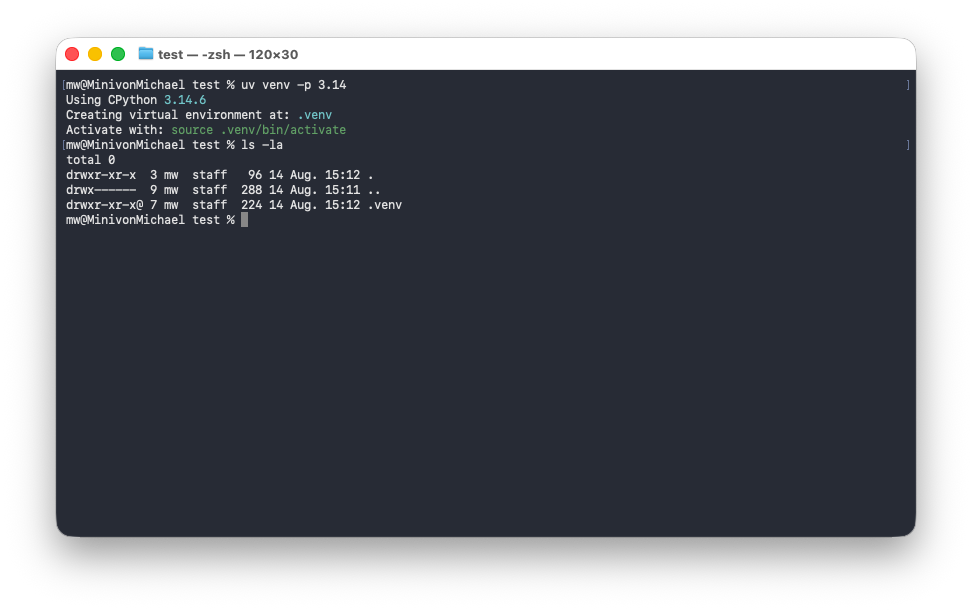
does download the right python package (3.10) and installs a virtual environment in you work folder. The virtual environment is stored in a directory there called “.venv”. If you go for testing the new v4 version, please install python 3.14 with the command:
uv venv -p 3.14
The resulting virtual environment is only for this work folder and does not interfere with any other python installation on your system. You can have as many virtual environments as you like on your system, but they are all separated from each other. This is the main advantage of using uv and virtual environments in general. In you work folder it should now be a new folder called “.venv” with the virtual environment:
Installing MountWizzard4
The installation is now a simple command:
uv pip install mountwizzard4
Installation will download the necessary packages (visible) and installs them in the virtual environment. If you are using RASPI hardware, please check the RASPI information below as well!
If you want to have a dedicated version of MountWizzard4, just add the version number in the command line (e.g. 4.0.0) like
uv pip install mountwizzard4==4.0.0
Changing versions upgrade and downgrade work the same way just with the appropriate version numbers.
Run MountWizzard4
Once everything installed running MountWizzard4 is also a simple command:
uv run mw4
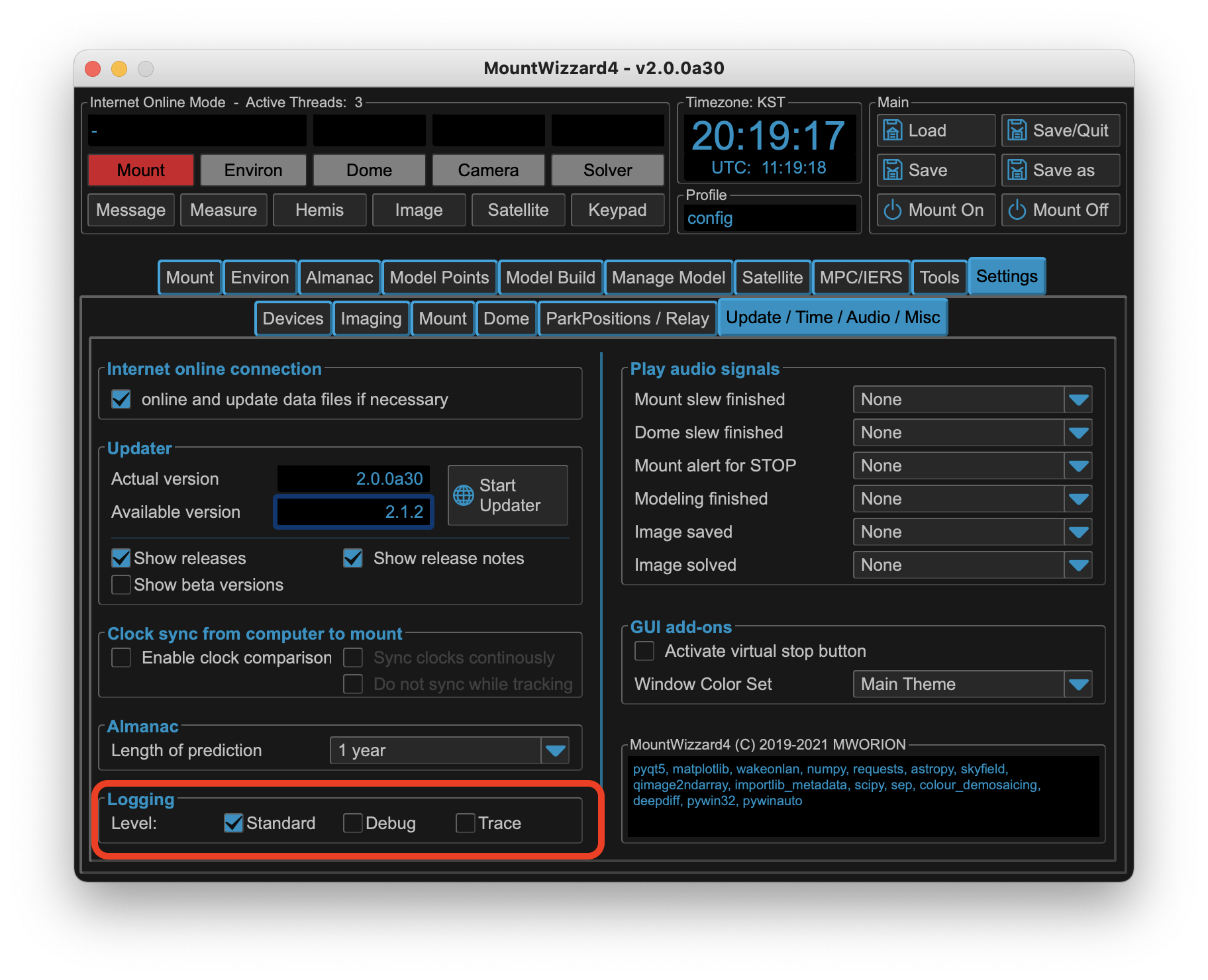
If you would like some options please use the command line parameters MountWizzard4 supports. These are setting for the appearance sizes on windows primary. If you look after the first run, your work folder should now contain new folders:
Basically that’s it.
Comfort setup for MW4 users
The first start has to be done manually with the command above. After that, you can use MountWizzard4 for optimizing the user experience. Please check the following tab underr setting:
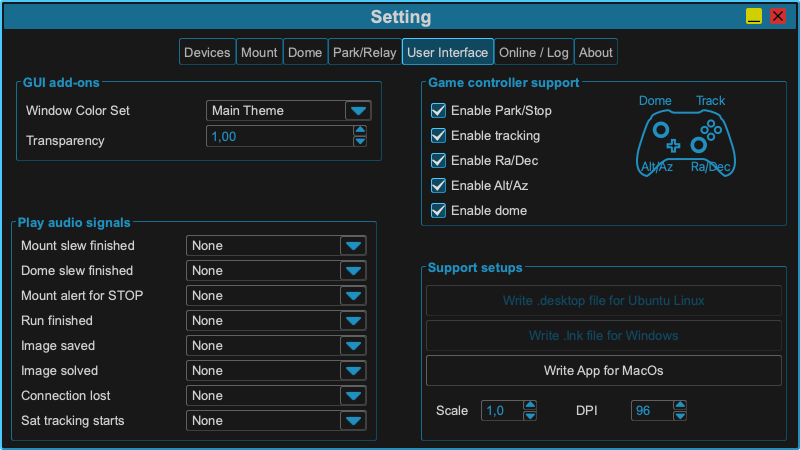
MountWizzard4 offers a number setups for the user on windows, ubuntu and macOS. For each operating system dedicated setup files could be generated to be able to integrate MoutWizzard4 into the gui of the system.
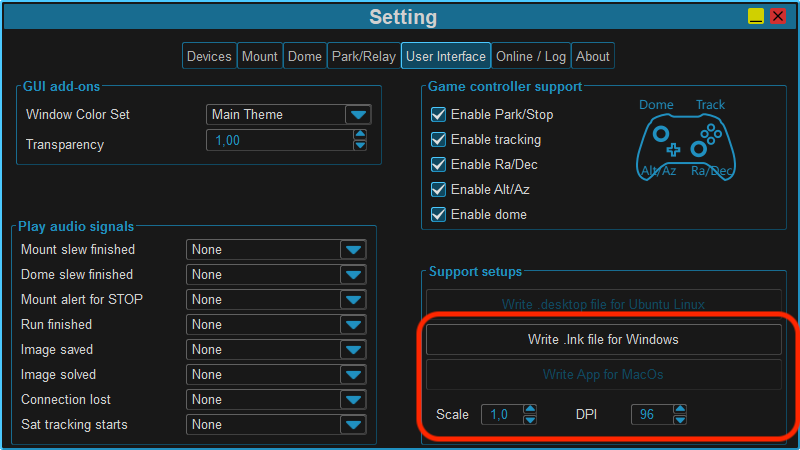
For e.g. windows it generate a link with an icon to start MountWizzard4 with a double click and stores it in the work folder. From there you can move it to your desktop or any other location you like. This includes also the startup paremeters for the appearance of MountWizzard4: DPI and scale factor. For linux it generates a desktop file to integrate it, and for macOS it generates a .app bundle to integrate it into the system. I will look like this:
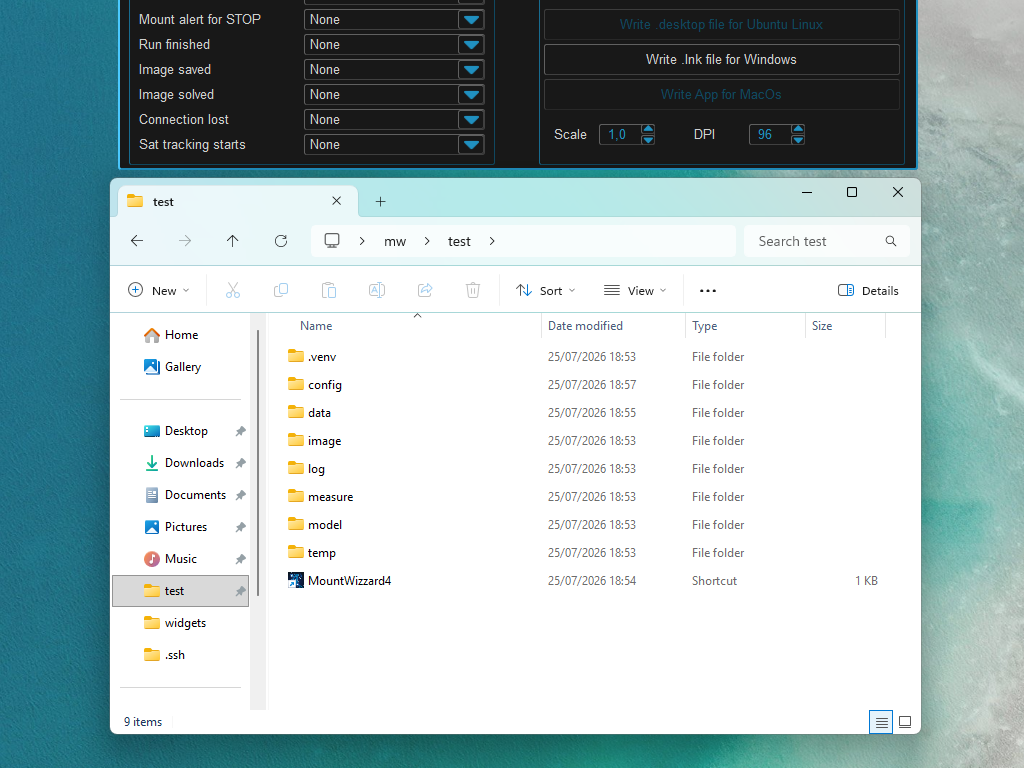
All these setups are generated in the work folder and could be moved to any other. The files generated coudl be manually edited.
Warning
When generating the setup files, please make sure that you have the right permissions to write into the work folder. If not, please change the permissions or move the work folder to a location where you have the right permissions. Existing files will be overwritten without any warning.
Update MountWizzard4
Once everything installed running MountWizzard4 is also a simple command. You should run the command from the root of your work folder where the virtual environment is located. Run the command
uv pip install mountwizzard4 --upgrade
to update MountWizzard4 to the latest version. If you already have installed v3 of MountWizzard with uv, please do not use the internal update anymore. It will be removed in v4. UV handles the update / downgrade and the relations to python versions better the my (limited) attempt. As MountWizzard4 will follow newer libraries and therefore also python versions, you will have to update this in parallel in the old setup, but uv will manage this for you out of the box.
Use MountWizzard4 beta versions
If you would like to tryout beta versions (or any dedicated version) of MountWizzard4, please use the standard install method. For the latest beta you just can add the following parameter:
uv pip install mountwizzard4 --pre
Command line options
MountWizzard4 supports a number of command line options:
'-d', '--dpi'
Setting QT font DPI (+dpi = -fontsize, default=96)
'-s', '--scale'
Setting Qt DPI scale factor (+scale = +size, default=1)
'-h', '--help'
Getting this information.
Integrating MountWizzard4 linux system
If you plan to run MountWizzard4 on a linux system, you can use the additional files for linux in the support_install folder.
https://github.com/mworion/MountWizzard4/tree/main/support_install
These are some support for starting MountWizzard4 with a desktop icon and some other features. Please check this website for further information to customize the content of the mountwizzard4.desktop file to your needs and how to install it:
https://itsfoss.gitlab.io/post/how-to-install-and-edit-desktop-files-on-linux-desktop-entries/
Integrating MountWizzard4 Windows system
If you plan to run MountWizzard4 on a windows system, you can use the additional files for windows in the support_install folder for setting up a link with an icon to start MountWizzard4 with a double click.
Additional for RaspberryPi (4, 5)
Hint
This is only necessary for v3. MountWizzard4 v4 brings all binaries directly. For v4 just proceed like above.
If you want to install MountWizzard4 v3 to an Raspi or ARM64 based computer, please follow the installation process. of uv, python and virtual environment. Before starting MountWizzard4 v3 you need to install some precompiled packages as they were not available for the necessary python 3.8-3.10 versions. For that use the same terminal window pointing to you work folder and add the two following commands:
uv pip install https://github.com/mworion/mountwizzard4/raw/main/wheels/PyQt5-5.15.9-cp38.cp39.cp310-abi3-manylinux_2_17_aarch64.whl
After that, please proceed with the use of MountWizzard4 like described above.
Installing on StellarMate
A good option to run MountWizzard4 on a linux based system is the use of StellarMate. The installation process is similar to the one described above, but there are some specific steps to follow. Please check the following link for detailed instructions: https://stellarmate.com/support/faq/stellarmate/how-to-install-mw4-on-sm-os-2-0.html
Updating python in workdir
There might be some reasons for updating the python part due to security patches or simply to upgrade the version
uv venv -p <new python version string> --allow-existing
Please use the parameter –allow-existing to keep your current installations.